









RGB color names make it easier to identify, compare, and use colors in websites, digital artwork, graphic design, and creative projects. From bright red and electric blue to soft lavender and elegant teal, each color has a distinctive appearance and can be represented by an exact RGB value and hexadecimal code.
This guide explores popular RGB color names, beautiful color shades, unique color ideas, pastel colors, dark tones, and nature-inspired hues. You’ll also learn how RGB codes work and how to choose colors for your website, branding, or digital designs.
One important point: RGB values identify colors precisely, while color names provide convenient descriptions. Some names have standardized definitions, while others are informal labels used by designers.
What Are RGB Color Names?
RGB color names are descriptive labels for colors created by combining red, green, and blue light. RGB stands for Red, Green, and Blue, the three color channels used in the RGB color model.
Each channel in standard 8-bit RGB ranges from 0 to 255. Different combinations produce millions of possible colors.
For example:
- Red: RGB (255, 0, 0)
- Green: RGB (0, 255, 0)
- Blue: RGB (0, 0, 255)
- White: RGB (255, 255, 255)
- Black: RGB (0, 0, 0)
RGB follows an additive color model. Combining red, green, and blue light at full intensity produces white, while setting all three channels to zero produces black.
Popular RGB Color Names and Hex Codes
These familiar colors are useful for websites, digital illustrations, presentations, and everyday design projects.
| Color Name | RGB Code | Hex Code |
| Red | rgb(255, 0, 0) | #FF0000 |
| Lime | rgb(0, 255, 0) | #00FF00 |
| Blue | rgb(0, 0, 255) | #0000FF |
| Yellow | rgb(255, 255, 0) | #FFFF00 |
| Cyan | rgb(0, 255, 255) | #00FFFF |
| Magenta | rgb(255, 0, 255) | #FF00FF |
| White | rgb(255, 255, 255) | #FFFFFF |
| Black | rgb(0, 0, 0) | #000000 |
| Silver | rgb(192, 192, 192) | #C0C0C0 |
| Gray | rgb(128, 128, 128) | #808080 |
| Orange | rgb(255, 165, 0) | #FFA500 |
| Purple | rgb(128, 0, 128) | #800080 |
| Pink | rgb(255, 192, 203) | #FFC0CB |
| Brown | rgb(165, 42, 42) | #A52A2A |
| Gold | rgb(255, 215, 0) | #FFD700 |
Beautiful RGB Color Names and Shades
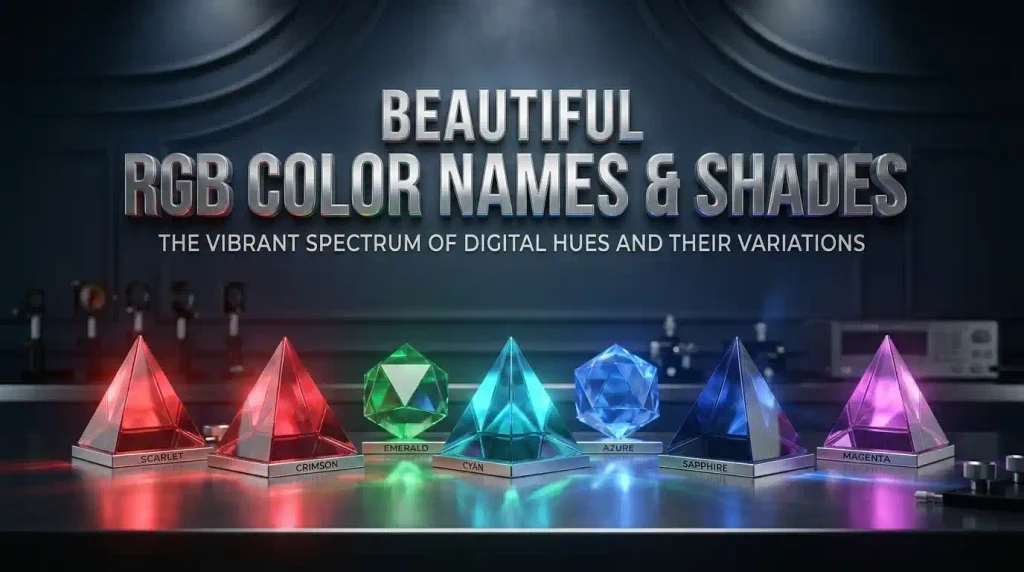
Color names can help you find shades that match a particular mood or design style. The following selections include warm, cool, soft, and deep colors.
Warm RGB Color Names
Warm colors often evoke sunshine, autumn leaves, flowers, and natural materials.
| Color Name | RGB Code | Hex Code |
| Coral | rgb(255, 127, 80) | #FF7F50 |
| Terracotta | rgb(226, 114, 91) | #E2725B |
| Burnt Orange | rgb(204, 85, 0) | #CC5500 |
| Rust | rgb(183, 65, 14) | #B7410E |
| Dark Salmon | rgb(233, 150, 122) | #E9967A |
| Tomato | rgb(255, 99, 71) | #FF6347 |
| Salmon | rgb(250, 128, 114) | #FA8072 |
| Peach Puff | rgb(255, 218, 185) | #FFDAB9 |
| Sandy Brown | rgb(244, 164, 96) | #F4A460 |
| Chocolate | rgb(210, 105, 30) | #D2691E |
Coral and salmon suit friendly, welcoming designs. Rust and terracotta offer a more earthy look, while peach puff works well in soft backgrounds and invitations.
Cool RGB Color Names
Cool colors include blues, blue-greens, and violet shades. They can create a refreshing, calm, or professional appearance.
| Color Name | RGB Code | Hex Code |
|---|---|---|
| Turquoise | rgb(64, 224, 208) | #40E0D0 |
| Aquamarine | rgb(127, 255, 212) | #7FFFD4 |
| Cornflower Blue | rgb(100, 149, 237) | #6495ED |
| Slate Blue | rgb(106, 90, 205) | #6A5ACD |
| Steel Blue | rgb(70, 130, 180) | #4682B4 |
| Deep Sky Blue | rgb(0, 191, 255) | #00BFFF |
| Sky Blue | rgb(135, 206, 235) | #87CEEB |
| Teal | rgb(0, 128, 128) | #008080 |
| Medium Orchid | rgb(186, 85, 211) | #BA55D3 |
| Royal Blue | rgb(65, 105, 225) | #4169E1 |
Turquoise brings a tropical feel, steel blue suits professional interfaces, and cornflower blue provides a softer alternative to vivid blue.
Soft and Pastel RGB Color Names
Pastel colors have a light appearance and are popular in wedding graphics, lifestyle websites, nursery designs, and gentle visual themes.
| Color Name | RGB Code | Hex Code |
| Lavender | rgb(230, 230, 250) | #E6E6FA |
| Misty Rose | rgb(255, 228, 225) | #FFE4E1 |
| Powder Blue | rgb(176, 224, 230) | #B0E0E6 |
| Light Cyan | rgb(224, 255, 255) | #E0FFFF |
| Thistle | rgb(216, 191, 216) | #D8BFD8 |
| Pale Green | rgb(152, 251, 152) | #98FB98 |
| Lemon Chiffon | rgb(255, 250, 205) | #FFFACD |
| Light Pink | rgb(255, 182, 193) | #FFB6C1 |
| Honeydew | rgb(240, 255, 240) | #F0FFF0 |
| Alice Blue | rgb(240, 248, 255) | #F0F8FF |
These light shades work well as backgrounds, decorative accents, and supporting colors. For text, use a sufficiently dark foreground to maintain readability.
Dark and Elegant RGB Color Names
Deep shades can add contrast and visual depth to websites, presentations, and branding.
| Color Name | RGB Code | Hex Code |
| Midnight Blue | rgb(25, 25, 112) | #191970 |
| Navy | rgb(0, 0, 128) | #000080 |
| Indigo | rgb(75, 0, 130) | #4B0082 |
| Maroon | rgb(128, 0, 0) | #800000 |
| Olive | rgb(128, 128, 0) | #808000 |
| Dark Green | rgb(0, 100, 0) | #006400 |
| Dark Slate Gray | rgb(47, 79, 79) | #2F4F4F |
| Saddle Brown | rgb(139, 69, 19) | #8B4513 |
| Dark Violet | rgb(148, 0, 211) | #9400D3 |
| Firebrick | rgb(178, 34, 34) | #B22222 |
Midnight blue and navy are useful for strong backgrounds, while maroon and dark violet create richer, more dramatic accents.
Unique and Creative RGB Color Names

Creative color labels are helpful when you want to explore less familiar shades for artwork, illustrations, or digital branding. These names include both established color terms and descriptive labels.
| Color Name | RGB Code | Hex Code |
| Electric Violet | rgb(143, 0, 255) | #8F00FF |
| Neon Carrot | rgb(255, 163, 67) | #FFA343 |
| Persian Rose | rgb(254, 40, 162) | #FE28A2 |
| Royal Fuchsia | rgb(202, 44, 146) | #CA2C92 |
| Lemon Lime | rgb(191, 255, 0) | #BFFF00 |
| Spring Bud | rgb(167, 252, 0) | #A7FC00 |
| Crimson | rgb(220, 20, 60) | #DC143C |
| Orchid | rgb(218, 112, 214) | #DA70D6 |
| Medium Spring Green | rgb(0, 250, 154) | #00FA9A |
| Slate Gray | rgb(112, 128, 144) | #708090 |
These options range from bright, high-energy shades to balanced colors that work as supporting elements in a larger palette.
Nature-Inspired RGB Color Names
Nature-inspired colors take their cues from forests, leaves, soil, flowers, and open skies. They are useful for gardening websites, outdoor brands, environmental projects, and natural-looking designs.
| Color Name | RGB Code | Hex Code |
| Forest Green | rgb(34, 139, 34) | #228B22 |
| Sea Green | rgb(46, 139, 87) | #2E8B57 |
| Olive Drab | rgb(107, 142, 35) | #6B8E23 |
| Moss Green | rgb(138, 154, 91) | #8A9A5B |
| Dark Sea Green | rgb(143, 188, 143) | #8FBC8F |
| Peru | rgb(205, 133, 63) | #CD853F |
| Tan | rgb(210, 180, 140) | #D2B48C |
| Rosy Brown | rgb(188, 143, 143) | #BC8F8F |
| Medium Aquamarine | rgb(102, 205, 170) | #66CDAA |
| Light Sea Green | rgb(32, 178, 170) | #20B2AA |
Forest green and sea green offer natural-looking alternatives to brighter greens, while tan and Peru introduce warmth and earthy character.
RGB Color Names for Websites and Branding

Choosing a color involves more than selecting a shade that looks attractive. Your palette should suit your website’s purpose, audience, content, and visual identity.
Here are some useful starting points:
- Professional websites: Steel blue, navy, and slate gray create a composed appearance.
- Beauty and lifestyle blogs: Lavender, light pink, and muted purple can create a softer aesthetic.
- Food websites: Coral, burnt orange, chocolate, and leafy greens complement many food-related designs.
- Technology websites: Electric violet, deep sky blue, and dark slate gray can produce a modern interface.
- Nature-focused brands: Forest green, moss green, and tan create an earthy palette.
- Children’s projects: Bright cyan, coral, lemon lime, and pastel shades can add energy and playfulness.
Always check the contrast between text and its background. A visually appealing combination may still be difficult to read, especially for people with low vision.
How to Understand RGB Values and Hex Codes
RGB and hexadecimal codes are two ways of expressing the same color information.
Consider this example:
Steel Blue
- Red channel: 70
- Green channel: 130
- Blue channel: 180
- RGB code: rgb(70, 130, 180)
- Hex code: #4682B4
In an RGB code, the three numbers represent the intensities of red, green, and blue light. In a hexadecimal code, each pair of characters represents one of those channels.
For standard 8-bit RGB, every channel has 256 possible values, from 0 through 255. This allows a total of 16,777,216 channel combinations.
RGB vs. Hex vs. HSL
| Format | Example | Common Use |
| RGB | rgb(255, 127, 80) | Defining red, green, and blue channel values |
| Hex | #FF7F50 | Web development and design applications |
| HSL | hsl(16, 100%, 66%) | Adjusting hue, saturation, and lightness |
These formats express color differently, but they can represent the same shade. RGB and hex are widely used in digital design, while HSL can be convenient when creating lighter, darker, or less saturated variations.
How to Choose the Right RGB Color
Follow these practical steps when selecting colors for a website, graphic, or creative project.
- Decide on the mood. Warm colors can feel energetic, while cool colors often feel calm or composed.
- Compare nearby shades. Small changes in brightness and saturation can make a noticeable difference.
- Save the exact code. Record the RGB or hex value to keep your colors consistent across pages and graphics.
- Choose complementary colors. Test how your main shade works with backgrounds, text, buttons, and decorative elements.
- Check accessibility. Make sure text has sufficient contrast against its background.
- Preview your design. Colors can appear different across displays and lighting conditions.
For a simple website palette, begin with one primary color, one supporting color, one accent color, and a neutral background. This approach helps keep the design cohesive without overwhelming readers.
Popular vs. Unique RGB Color Names
Popular color names such as red, blue, green, and pink are easy for most readers to recognize. They work well when clarity and familiarity matter.
Unique or specialized names, including Persian rose, cornflower blue, and aquamarine, help communicate more specific visual differences.
The distinction is mainly descriptive. A color is not necessarily rare because its name sounds unusual, and a familiar color can still have a distinctive RGB value.
For the most precise communication, use the color name together with its numeric code. This is especially helpful when working with clients, developers, or design teams.
Frequently Asked Questions About RGB Color Names
1. What are RGB color names?
RGB color names are descriptive labels for colors formed by mixing red, green, and blue light. Examples include coral, turquoise, lavender, and navy. Each color can be represented by RGB values and, for digital design, a hexadecimal code.
2. How many RGB colors are possible?
Standard 8-bit RGB supports 16,777,216 possible combinations. Each of the three channels—red, green, and blue—has 256 possible values. However, there is no universally agreed name for every combination.
3. What is the difference between an RGB color name and an RGB code?
A color name is a descriptive label, while an RGB code specifies the numerical intensity of the three color channels. For example, coral is a color name, and rgb(255, 127, 80) identifies its standard CSS color value.
4. Which RGB colors are best for websites?
The best colors depend on the website’s audience, purpose, and design. Blues and neutrals often suit professional interfaces, while brighter colors can highlight important elements. Choose a consistent palette and ensure that text remains easy to read.
5. Are RGB and hex color codes the same?
RGB and hex are different formats for representing color. For example, rgb(255, 127, 80) and #FF7F50 represent the same coral shade. Both formats are widely used in digital design and web development.
6. Can the same RGB color have different names?
Yes. Informal names such as ocean blue, dusty rose, and sage green can describe different shades depending on the source. Standard CSS color names have defined values, but creative labels do not always follow a universal naming convention.
7. What is the difference between RGB and CMYK?
RGB is an additive color model primarily used for screens, while CMYK uses cyan, magenta, yellow, and black inks for printing. A color that looks bright on a screen may appear different when printed, so print designs should be checked before production.
8. How can I create a custom RGB color?
Use a digital color picker or design application to adjust the red, green, and blue channels individually. Each channel in standard 8-bit RGB ranges from 0 to 255. Once you find the desired shade, save its RGB or hex code for future use.
Conclusion
RGB color names help designers and readers identify shades, build palettes, and communicate color choices. From bright primary colors to soft pastels, deep blues, and earthy greens, the right shade can support the look and purpose of a digital project.
For accurate results, pair a descriptive color name with its RGB values or hex code. This makes it easier to maintain consistent colors across website pages, illustrations, presentations, and branding materials.

I’m Shahid Imran, the creator of Reachora Media, a website dedicated to names, their meanings, origins, pronunciations, and interesting name-related information. Explore my website to discover meaningful and unique names with helpful, easy-to-understand details: Reachora Media